 LetsVPN
 A VPN That Always Connects, Reaching the World in 3 Seconds
LetsVPN uses a private communication protocol that has run stably for 2000+ days, working even in sensitive periods. Download and connect instantly, and share one account across many platforms and devices.

3-second connects
72-hour free trial
1000+ apps supported
Many platforms and devices
24-hour live support

LetsVPN has long ranked among the top utility apps on the App Store, with an independent Google security audit and AppEsteem international cybersecurity certification, and it stores no personal information.
One-Tap Connect, Pure Smoothness
Built on a brand-new core with AI smart connect, it automatically matches the fastest node worldwide for you. Just tap Connect and enjoy silky-smooth browsing within 3 seconds.
Reach Anywhere on Earth
Access network resources worldwide with no limits and no records, while the most advanced technology helps you erase your traces, so you can truly reach anywhere on earth.

Industry-Leading, Worry-Free Security
Long a leader among App Store utility apps, with an independent Google security audit and AppEsteem international certification; it brings network freedom while strictly protecting your privacy.
Use It Anytime, Never Locked In
One of the few well-known VPNs worldwide that dares to offer short-term membership, keeping you safe and stable while protecting your rights, so you can subscribe whenever you want and never worry about being locked in or left stranded.
Every Platform, Seamless Switching
Supporting all mainstream devices on the market, one account shares membership across devices and allows several devices online at once, keeping you seamlessly connected in any scenario.
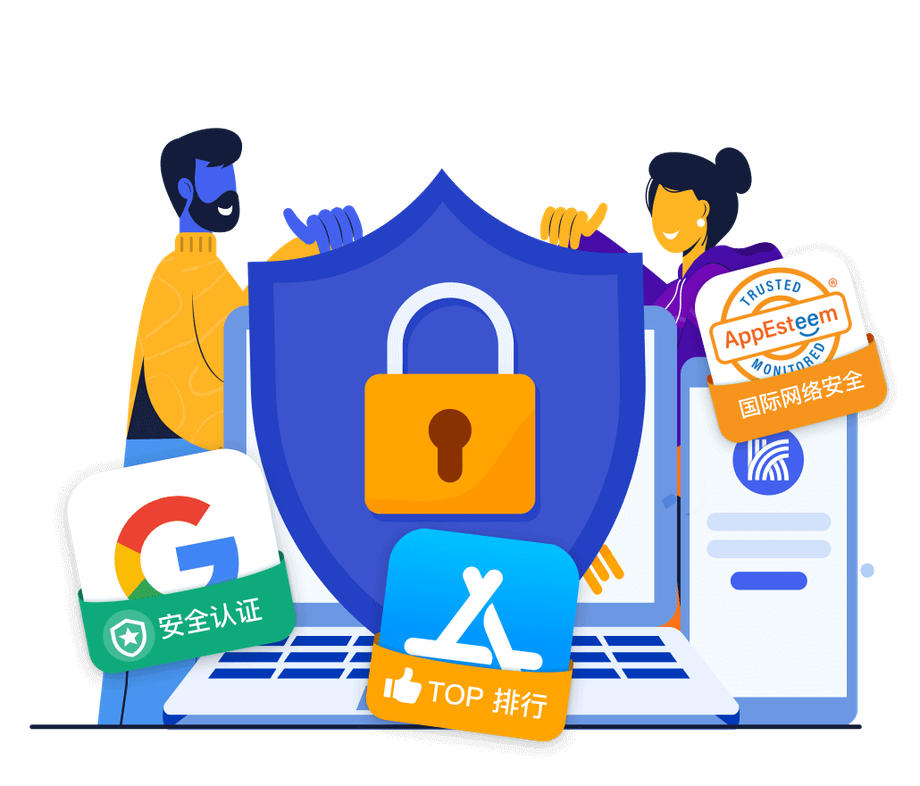
Live Support, Always Reachable
With 24-hour service, over 100 live agents and network engineers stand ready to safeguard your experience, on call anytime and always reachable.
What users say
Fast, and it handles both local and overseas networks. Support is super easy to talk to and always sorts out my issues. I will keep using it.
 Overseas user, App Store review
Been using it for years, and everyone around me uses this app. Very stable.
 Long-time user, App Store review
Stable network, fast speeds, no buffering on video, and patient, careful after-sales support.
 Overseas Chinese, Google Play review
The best VPN I have used so far. Contacting support, buying and renewing are all easy. A friend recommended it, and it truly is trustworthy.
 Student abroad, App Store review
Worth every penny after paying. Others lag within a month, but LetsVPN stays blazing fast and opens 4K video instantly.
 Long-term member, App Store review
Used it for two years now, with a stable connection and a comfortable experience. I hope it keeps running.
 Two-year user, Google Play review
Start Now, a VPN That Always Connects
Download LetsVPN, connect to the world in 3 seconds, enjoy a 72-hour free trial, and share one account across devices.
Download for all platformsSources: LetsVPN Official, AppEsteem, Statista, App Store and other public references.
Frequently Asked Questions
How do I create a LetsVPN account? What do I need to enter the first time?
Actually, you don’t necessarily need to register the first time you use LetsVPN: after downloading the app, it identifies your device, so you can connect and buy a plan right away. You only need to register on the client’s “My Account” page if you want to share your plan across devices or recover it later when switching phones. Just enter an email (or username) and set a password; some versions send an email verification code, and once you enter it and set your password, you’re done. Registration itself is free and doesn’t require a credit card. We do recommend linking an email you can actually receive mail at, so you can recover your account down the road.
Can LetsVPN be used in Hong Kong? Will it be blocked?
Yes, you can use it. What LetsVPN announced ending on 2026-04-28 was only its "mainland China" business. Overseas regions such as Hong Kong are unaffected by that announcement, and service continues as normal; the company’s blog in May also mentioned a return to normal operations. Hong Kong is a non-mainland region, so downloading and connecting are unaffected by mainland blocking. If you run into connection issues or slowdowns in Hong Kong, that falls under general troubleshooting rather than a service shutdown: you can switch to a node in another region, change to the WireGuard / OpenVPN / IKEv2 protocol, update to the latest version or reinstall, and check that your firewall is allowing it through.
Can I watch Netflix with LetsVPN? Will it get detected and blocked?
You can try, but it isn’t necessarily reliable. Community testing reports that when watching Netflix with LetsVPN, some nodes get detected and blocked by Netflix, often requiring several route changes to get around it, with fairly low usability (this is from a single, earlier review, not confirmed by multiple sources and needing firsthand confirmation). A practical approach: try several nodes in different regions or with different numbers, switch protocols, and try again, switching routes whenever you hit a block. If stable streaming is a core need, LetsVPN’s node selection isn’t very streaming-friendly, so we’d suggest testing the regions you usually watch firsthand before deciding.
What exactly is LetsVPN? Is it a wall-crossing app?
It is a VPN (virtual private network) app, commonly known as LetsVPN, offering clients for Windows, macOS, iOS, Android, and Linux, plus a router option and a Chrome extension. Its purpose is to build an encrypted tunnel and switch between region nodes, and it is often used by Chinese users to access websites across regions or add a layer of privacy. It is indeed often used as a wall-crossing tool, but note: the company ended its mainland-China-facing operations on 2026-04-28; in overseas environments such as Southeast Asia and Hong Kong and Taiwan, it can still be installed and used as a general VPN.
Can LetsVPN really connect back to a mainland IP from overseas to watch iQIYI?
This needs to be viewed with caution. LetsVPN’s main focus is routing traffic to "overseas" nodes to unblock international sites, and the material doesn’t confirm that it offers stable "back-to-China / mainland IP" nodes for watching iQIYI from overseas (this would need to be confirmed firsthand). More importantly, LetsVPN ended its business for mainland China on 2026-04-28, stating that network blocking made connections unstable, which directly undermines exactly this kind of "connect back to the mainland" need. So for watching iQIYI from overseas, LetsVPN isn’t a good first choice. We’d suggest using the trial period to test firsthand whether it can connect to mainland nodes and play content, and if it can’t, switching to a tool that specializes in "back-to-China routes."
Why does LetsVPN keep spinning and fail to connect? How do I fix it?
Overseas or in Southeast Asia, endless spinning is usually due to congested nodes or a network issue. Troubleshoot in this order: (1) confirm your local network is working; (2) switch to a node in a different region; (3) change the connection protocol (WireGuard, OpenVPN, or IKEv2); (4) update to the latest version, and if that doesn’t help, uninstall and reinstall; (5) check whether your firewall or security software is allowing LetsVPN through; (6) verify your system time is accurate; (7) restart the app, your router, and your device. Most spinning issues are solved by "switching nodes plus switching protocols." Note that since 2026-04-28 the mainland China service has shut down, so being unable to connect in the mainland is because the service has stopped and is not something this troubleshooting can fix.
How do I download the LetsVPN iOS version? Can I find it in the Hong Kong App Store?
The LetsVPN iOS version requires an Apple ID from a region outside mainland China, and you can find and download it in the Hong Kong App Store - this is in fact one of the officially recommended methods. It does not appear in the mainland China store because Apple lists it only outside mainland China. If you do not have a Hong Kong account, you can create one, or change the region of your existing Apple ID to Hong Kong (set the payment method to “None” and enter a phone number as 852 followed by 8 digits). After downloading, you can switch the region back to the mainland. If your account has an existing subscription, use another download method instead.
Does LaoWang VPN have a free version I can use?
There is no long-term free version, but there is a "free trial" and you can try the basics without registering. LetsVPN uses a unique device identifier, so after downloading the app you can connect and try it right away without registering. The free trial length for new users is inconsistent across sources - the official main site says "72 hours," while several mirror sites and hands-on tutorials say "1 hour" (which becomes 3 days after entering a referral code), so go by what your app actually shows. After the trial ends, full use requires buying a plan.
Can I pay for LetsVPN with a credit card?
The available material does not clearly list the specific payment methods LetsVPN supports (this needs hands-on verification), so please go by the payment options actually shown on the in-app purchase page. What is certain is that creating an account is itself free and does not require linking a credit card; payment is only needed when you buy a plan. One note: on 2026-04-28 the company closed its “mainland China” payment channels (because it ended its mainland operations); payments overseas and in Southeast Asia are not affected by this. We recommend checking the in-app purchase page for the currently available payment methods.
Which is the official LetsVPN download page? How can I make sure it isn’t a phishing fake site?
This site is letsvpnshield.com, and the download page is on the same site. There are tons of .cn and .com.cn domains out there (such as pc-letsvpn.cn, letsvpns.cn, letsvpn-win.com.cn, and others) claiming to be the “official genuine version” or “optimized for China,” but most are knockoffs, and their installers may carry risks. The rule of thumb: stick to this site, letsvpnshield.com, and don’t download installers from any third-party “official site.”
Does signing up for LetsVPN require a phone number, or can I just use email?
Email alone works - a phone number is not required. To register with LetsVPN you only need an email (or username) and a password. Some versions send an email verification code; once you confirm it and set your password, you are done. Some versions also let you choose either email or phone together with a verification code. Signing up is completely free, and no credit card is required. We recommend using an email address you check regularly and can reliably receive mail at, so that you can get a reset link if you ever forget your password.
Is LetsVPN good to use in Taiwan? Is it fast?
In Taiwan it falls under normal overseas use, isn’t affected by the 2026-04-28 mainland shutdown announcement, and the service continues. On Taiwan’s Dcard study-abroad board, users have reported firsthand that the LetsVPN app is “simple to use with a low learning curve.” On speed, community reviews mention that LetsVPN has relatively few nodes, congests easily at peak times, and is fast at some times and slow at others — not every route is fast. If it feels slow, you can manually switch nodes or regions, or try a different protocol such as WireGuard. Overall it’s easy to get started with, but if speed stability matters a lot to you, we recommend testing several nodes.
Can LetsVPN open ChatGPT normally? Will I keep hitting CAPTCHA when logging in?
Unfortunately, the materials don’t provide firsthand data on how LetsVPN performs with ChatGPT or CAPTCHA, so we can’t give a definitive conclusion (needs to be confirmed firsthand). A general rule you can apply: repeated CAPTCHA challenges are usually related to the node’s IP being flagged by risk controls, or to many people sharing the same exit. A practical approach: switch to a node in a different region or number that has fewer users, try a different protocol, and picking a clean route usually improves things. We recommend testing a few nodes in your own environment before deciding.
What is the background of LetsVPN? Is it safe to use?
LetsVPN is a cross-platform VPN app; this site is letsvpnshield.com, which provides clients for all platforms. Whether it is safe to use comes down to two things. First, the source: only download from this site, letsvpnshield.com, because there are many .cn and .com.cn fake "official sites" online that carry risks. Second, the use case: the company officially discontinued its mainland China service on 2026-04-28, while it can still be used as a general VPN overseas and in Southeast Asia. With any VPN, we recommend the habit of only trusting reliable sources and never installing installer packages of unknown origin.
Can LetsVPN watch Tencent Video normally from abroad?
The materials don’t confirm that LetsVPN provides stable nodes back to China for watching Tencent Video (needs to be confirmed firsthand). A heads-up: LetsVPN’s design focus is on overseas nodes for unblocking international websites, not on “connecting back to the mainland.” It also stopped its business targeting mainland China on 2026-04-28 and states that it can’t connect stably due to blocking, which is very unfavorable for needs like “watching Tencent Video back home” that require connecting back to the mainland. Practical advice: first use the free trial to test whether it can connect to a mainland route and play Tencent Video; if not, choose a streaming tool that specifically focuses on “back-to-China / mainland nodes” — it’ll be more reliable.
LetsVPN shows a connection failure and won’t connect no matter how many times I retry — what should I do?
Don’t just keep retrying the same node. We suggest: (1) Switch to a node in a different region and reconnect (to avoid congested routes); (2) Try a different connection protocol — WireGuard, OpenVPN, or IKEv2; (3) Update to the latest version, and uninstall and reinstall if that doesn’t help; (4) Confirm your firewall or security software is allowing LetsVPN through; (5) Verify your system clock is accurate; (6) Restart the app, router, and device. If you’re in mainland China, the service was officially discontinued there as of 2026-04-28, so the inability to connect is due to the service being shut down rather than a settings problem — in that case you should consider a backup tool.
I can’t find LetsVPN in the Taiwan App Store on my iPhone. Has it been taken down?
It hasn’t been taken down. It’s a region issue. Apple restricts LetsVPN to non-mainland-China storefronts, so as long as your Apple ID region is set to mainland China, you’ll get no search results or see "App Unavailable" even while you’re in Taiwan. The fix is to change your Apple ID region to a non-mainland one (such as Taiwan or Hong Kong): go to appleid.apple.com, then Personal Information, then Country or Region, then Change, then sign out of the App Store and sign back in, and you’ll be able to find it. After changing regions, just register and log in normally with an email plus password.
Does LetsVPN really have a three-day free trial?
The “3 days” for LetsVPN is bonus time you get after entering a referral code, not the default. Here’s the reality: the base free-trial duration for new users varies by source. The official main site now says “72 hours,” while several mirror sites and hands-on guides say “1 hour.” When you register in the Android or Mac client, entering a referral code (such as community-circulated referral IDs like 141763162) gets you an extra “3 days.” So the “3 days” has to be claimed by entering a referral code, and only Android/Mac can get the full amount. iPhone/iPad have no input field, and Windows has a field but can’t get the 3 days. Go by what your in-app display shows for the base trial duration.
Can I pay for LetsVPN with Alipay?
Our materials do not clearly list the payment methods LetsVPN currently supports, and note this: the company ended its operations for mainland China on 2026-04-28 and closed its mainland payment channels. For you in Southeast Asia, whether a mainland payment method like Alipay is available cannot be confirmed from the given information and falls under what needs testing to confirm. We recommend going by the payment options actually offered on the app’s checkout page; overseas, this is usually a credit card or in-store purchase.
Can I still download and install LetsVPN normally in Hong Kong? How do I get in if the official site is blocked?
Yes. The 2026-04 shutdown applies only to mainland China; Hong Kong and other overseas regions are not affected, and this site, letsvpnshield.com, can be accessed and used for downloads and installation normally in Hong Kong and Taiwan. On Android, if you cannot find it on this site or in Google Play, you can instead install the APK with the official package name world.letsgo.booster.android.pro. On iOS, use an Apple ID from a non-mainland region to download it from the App Store. Be sure to stick to this site and steer clear of imitation sites.